The little worker is still carrying its log. I built it a workshop, put a roof on it, and immediately lost sight of it.
In yesterday’s post, I described the Blender workflow we built with GPT-6 Astra: scripts for generating assets, inspection views for reviewing them, and exports we could reuse in different clients. Today I wanted to give that character somewhere more interesting to work. That became a small playable experiment for Hephaestus, now packaged as Terrain Lab.
A small vocabulary for a world
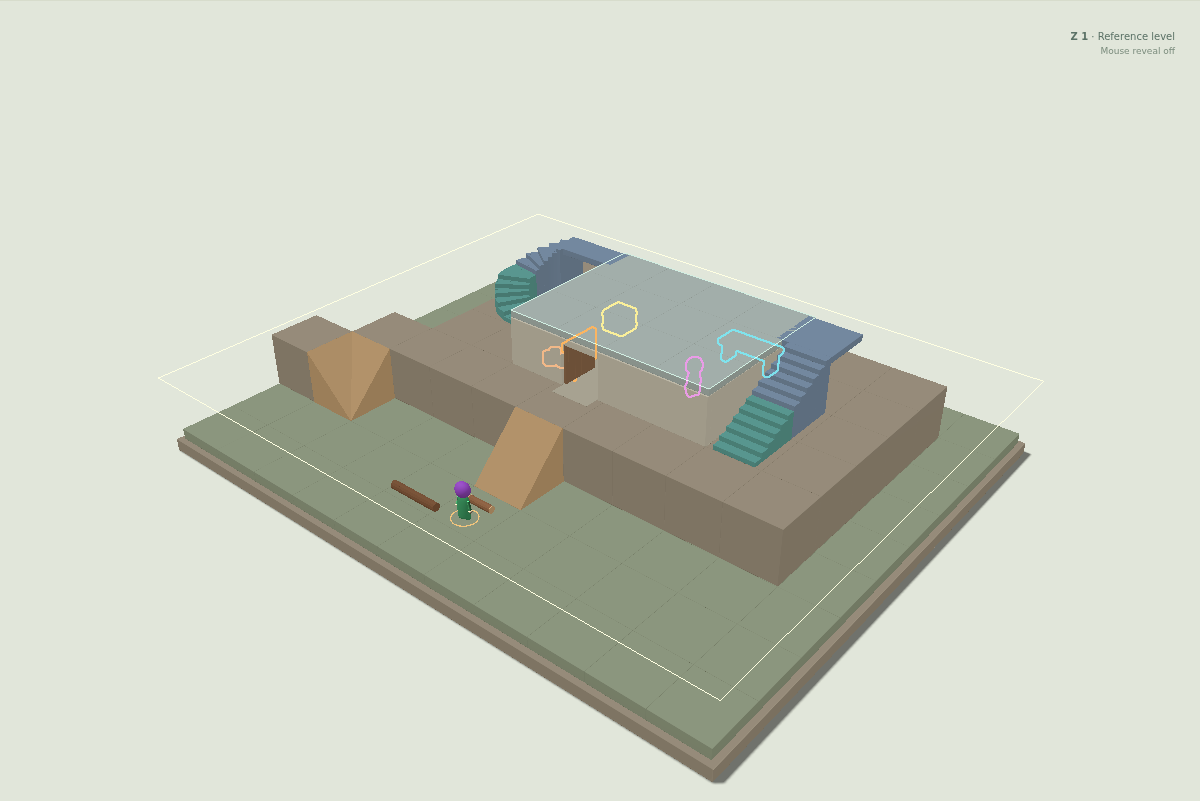
The scene brings together blocks, walls, a working door, floors, stairs, and ramps. The turning stairs keep their landings. Straight stairs sit alongside them, so we can compare the shapes while the same character uses both.
A complete stair connection needs an up piece on the lower level and a down piece on the upper one. Their orientation determines the shape of the connection. Removing the upper piece should therefore change where the worker can go. In the toy, you can remove it and watch the hauler take the remaining complete staircase. If the worker is already crossing the piece, removal waits for it to get clear.
A ramp is a smooth rise from the bottom of a tile to its top. It needs a visible direction for the slope to make sense, even though I want the logical ramp type to remain non-oriented. This fixture gives each ramp a concrete slope and walking connection so we can inspect the result.
The roof uses another simple idea: it is the floor of the level above. The worker can walk on top of the workshop as well as inside it. That is convenient for the worker and less convenient for the person trying to see it.
Let me look inside
A whole-building cutaway helps inspect geometry, but during play I want to reveal the place I am looking at. Terrain Lab has a selected reference Z level and a circular reveal area that follows the mouse. Inside that circle, construction above the selected level either becomes transparent or disappears. Walls, floors, and stair surfaces can all get out of the way.
Ghost keeps a faint suggestion of the obstruction. Hide gives a clearer opening. The level buttons, Page Up and Page Down, or Shift-scroll move the reference level without moving the worker. Hiding a floor for inspection leaves its physical support in place.
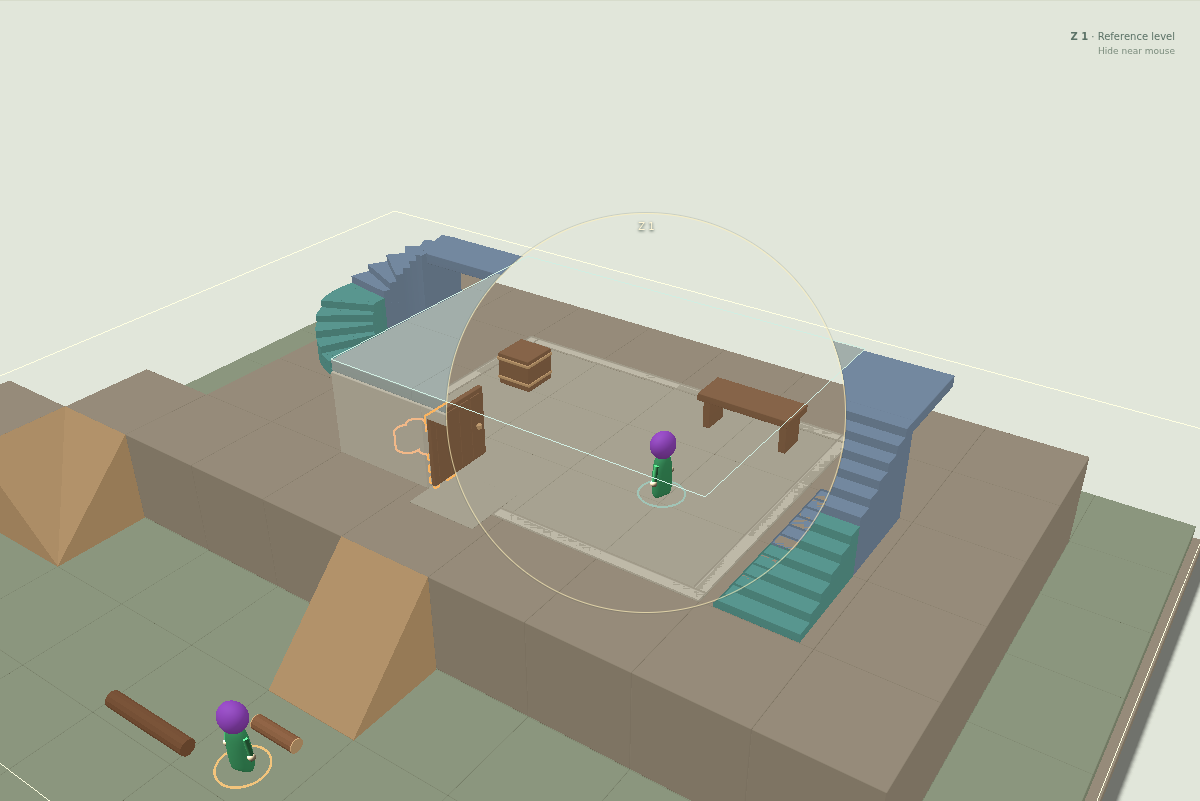
Open the full Terrain Lab in the Look inside view. Choose Ghost or Hide, move over the roof, then try another level. The interactive view loads only when you start it; Stop releases it again. A browser with WebGL support is needed to run the scene.
Hidden things should still announce themselves
There is a second problem with a solid wall: I may not know that something worth clicking is behind it. Waiting until the mouse happens to uncover a door or a worker makes discovery rather accidental.
Interactable objects therefore have colored outlines. Purple marks units, orange marks the door, yellow marks items, and cyan marks the workshop. The outline can appear only when the object is obscured, remain visible all the time, or be switched off. Moving the reveal area over an object lets its actual shape take over from the silhouette.
These are clickable objects. The door opens and closes. Units show their details. The workshop lets you change its local name and have its resident walk or rest. I also put a supply crate and copper ore behind the walls, giving the outlines something useful to point at.
Try Find the supplies and select both items. Or start with Follow the log and close the door before the hauler gets there. Break the connection makes the stair experiment easier to follow. Each starting point resets the same small world; the view link shares your preset and visibility settings.
The next useful experiment
The toy uses React for its controls and Babylon.js for the 3D scene, with the geometry exported from Blender. Yesterday’s movement was baked into an animation. Here a local simulation moves the hauler through an authored route network, responds to the door and stair controls, and updates the carrying pose as it goes. That makes it useful for testing interactions; a complete settlement’s pathfinding and work systems still lie ahead.
Having the worker in the scene changes the questions I ask. Do these stairs connect? Can I tell which floor it is on? Can I find the door before I remove the wall from view? The same little trip now exercises geometry, movement, visibility, and selection together.
That is what I wanted from the workflow: a way to turn the next question into something I can inspect and play with. The worker has acquired a building, a colleague, and a better route to the roof. Its job description remains largely concerned with the log.